New Release of WishList Member (v2.3)

The team at WishList Products is VERY excited to announce the release of version 2.3 of WishList Member.  It contains a variety of brand new features, upgrades, bug fixes and adjustments for WordPress 3.0 and we highly recommend you upgrade.

With that said, please note:

**You Will Need To Have PHP5 Installed On Your Server**

Most hosting companies have upgraded their servers to PHP5 but please double check with your hosting company before you upgrade.

Here are more insights regarding this release…

Download Instructions:

You can download the latest version of WishList Member from within your WishList Member Dashboard.  You will see a link to the latest version.

Here is a sample screenshot:

Best practices include…

1)  Deactivating WLM first (you’re settings won’t be lost).

2)  Unzip the WLM zip file.

3)  Upload the “wishlist-member” folder to your WP plugins folder.

This will overwrite the old version (don’t worry, your settings will still be there!).  If you’re uploading using an FTP program, make sure your “transfer type” settings are “Binary” and NOT “ASCII”.

4)  Then activate WLM in your plugins.

Links Mentioned In The Video:

WishList Member v2.3 – Full Release Notes Are Located Here
WishList Member API – Get the full API notes here
WishList Insider – Membership community for membership site owners
MP3 Download
– Interview with Dan Ariely (Predictably Irrational)


Tags: , , , ,

Comments { 153 }

About WPWL Team

WishList Products is a company dedicated to creating easy-to-use tools for small business owners looking to boost their bottom line profits.

, , , ,

153 Responses to New Release of WishList Member (v2.3)

  1. Mike Murphy July 10, 2010 at 8:17 am #

    Looks like a great update. Glad to see my customer list back :-) . I am selling digital products so can you explain how the file protection works? Or is there documentation on that somewhere?

    Thanks.

    MikeM

    • WPWL Team July 12, 2010 at 2:19 pm #

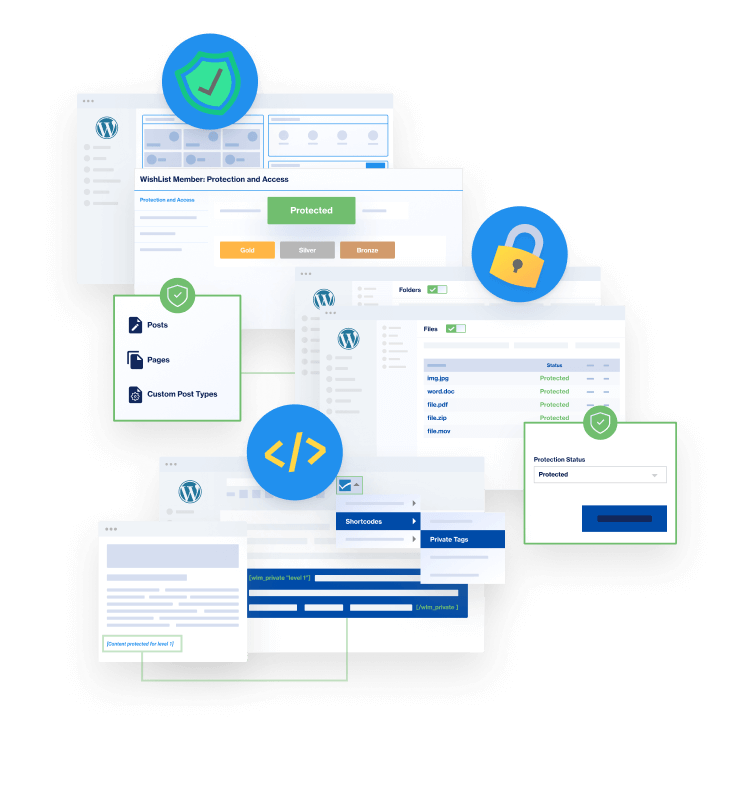
      The File Protection works like all the protection within WishList Member. All you have to do is set PROTECTION and ACCESS for each file you add to your site in the Membership Content sub tab in the Membership Levels section.

  2. Deb July 10, 2010 at 2:31 pm #

    I see you stream your videos from Amazon S3. I’m wondering if the protection for files within WLM extends to files we stream into our WLM protected sites from Amazon S3 rather than hosting them on our webhosting service.

    Thanks!

    Deb

    • WPWL Team July 12, 2010 at 2:23 pm #

      WishList Member can only help to protect files that have been uploaded to your WordPress. Amazon S3 is a storage server so your file would link to that server.

  3. Sally July 11, 2010 at 8:02 am #

    Hi WL Guys!!

    I love WLM it makes my life sooooooo much simpler!!! Love the upgrade and great to see that the filter/sort is now working again.

    I was just doing a bit of housekeeping with my members and have a request …… it would really help me a lot if there was a feature to show the last time a member logged in and it would be great if that could be added to the view in the members list so that it could be used as a ‘sortable’ item. Id love to be able to find out easily which members are still using the site and who is not. Id then know who to target for a ‘can i help you’ or ‘is everything ok’ email.

    Thanks for the great product and for the amazing support when anything goes wrong.

    Sally

  4. Gideon Shalwick July 13, 2010 at 6:47 am #

    Hey Stu

    I have just upgraded and now it’s all broken!

    Not impressed, esp since I’m on a really tight timescale for my launch.

    Got everything lined up – this is a really MASSIVE issue for me.

    Everything was working fine before I upgraded!

    What are my options here?

    This is stressing me out!

    Gideon Shalwick

    • WPWL Team July 14, 2010 at 11:22 am #

      There have been some issues with the new version of WLM working with WP 3.0 and these are being worked on. We do see your tickets in our system and they are being addressed and you will hear something soon.

      • Alex July 17, 2010 at 10:24 pm #

        So for those considering an upgrade to WP 3.0, would you recommend holding off on the upgrade until you fix whatever issues the new WLM is having with WP 3.0?

  5. John Sims July 24, 2010 at 8:16 pm #

    Have you considered, allowing the registration process to take place on the front-end, via templates and using WP built-in Hooks and Filters?

    I have seen someone do it here: http://www.cozmoslabs.com/2010/05/31/wordpress-user-registration-template-and-custom-user-profile-fields/ and would love to see this functionality added to Wishlist Members.

    • WPWL Team July 29, 2010 at 2:17 pm #

      We aren’t really considering changing the current registration process WishList Member uses, but thanks for the link to an alternative method. It never hurts to look into different ways of doing things.

  6. Rick Wilson July 25, 2010 at 8:18 pm #

    Hi!

    Have these issues with WP 3.0 been corrected yet?

    Thx!

    Rick Wilson

    • WPWL Team July 29, 2010 at 2:15 pm #

      We have been working to eliminate any bugs (and have) that have popped up with the release of WP 3.0 and will continue to do so for any additional bugs that appear.

  7. Lowell Herr July 27, 2010 at 11:04 pm #

    I was using WLM about six weeks ago and I had all kinds of problems with registrations not working with WordPress 3.0. Have those problems been solved?

    Lowell

    • WPWL Team July 29, 2010 at 2:09 pm #

      There should be no issues with registration and the new version of WishList Member. If you do have problems, please feel free to submit a ticket.

  8. Connie Ribas July 30, 2010 at 3:48 pm #

    I did the upgrade to v2.3 but now my dashboard is telling me there is another upgrade (v2.30.592). I don’t see it ever mentioned on the support site. Is it real or evil alien code?

    • WPWL Team August 4, 2010 at 1:43 pm #

      Version 2.30 is the new release and v2.30.592 is the latest build version. We release updates all the time through your Dashboard with new features and any bug fixes. We recommend you always run the latest version displayed to you on your Dashboard. It’s safe! :)

  9. Alex Eisenberg July 31, 2010 at 12:39 am #

    Is there anything specific you can tell us about what bugs are still remaining for users on WP 3.0 and the newest version of WML? Because while I’d really like to make the upgrade to 3.0, I can’t do so until I know WLM works with it. Has anybody found why some users have problems and others have not?

    • WPWL Team August 4, 2010 at 1:40 pm #

      The majority of issues have been resolved. Any lingering issues are being traced back to specific server issues. If any issues arise after upgrading, we ask you to submit a ticket and we will resolve the issue for you.

  10. Mo August 1, 2010 at 7:27 am #

    When will WL get updated with folder protection?

    • WPWL Team August 4, 2010 at 1:36 pm #

      The new version of WLM has File Protection that allows the specific file to be protected. This is the method of protection we have decided to use after considering all the options.

  11. Nhan August 2, 2010 at 11:18 pm #

    Since upgrading to v2.3, my members area takes a very long time to load and often times out.

    I have not been able to figure out the problem, however it disappears if I deactivate Wishlist.

    • WPWL Team August 4, 2010 at 1:36 pm #

      Speed issues can be caused by conflicts between other plugins. We recommend deactivating other plugins to see if this is the case. If you experience further issues, please feel free to submit a ticket.

  12. Brad August 5, 2010 at 5:15 pm #

    Is it just me, or are there some bugs in the new members admin section. Aka select an action area. I want to cancel a specific users account and it will not let me cancel it. to where it shows as “canceled”.

    • WPWL Team August 6, 2010 at 3:13 pm #

      There are no known bugs with the cancellation of members. If you continue to experience issues, please submit a ticket and out ticket team can look into your unique issue.

  13. steve beaton August 10, 2010 at 4:22 pm #

    Hi Guys

    I’ve been told the new version of Wishlink includes a link protection feature to prevent file links being copied from a Wishlist site and used elsewhere.

    Is this true and if so how does one set up this feature from within the dashboard area?

    Regards – Steve

  14. Mike Murphy August 11, 2010 at 10:29 pm #

    OK, how do you get your files to show in the Manage Content -> Files section? I ftp’d files into the wp-content/uploads folder, but they aren’t visible. Using wp to upload has a limit of 2 mb. Some of my files are over 100 mb.

    • WPWL Team August 13, 2010 at 8:54 am #

      We use the defined WP upload folder to look for our files to protect. Default is wp-content/uploads, so that is correct. In order for the file to show in our file protection area the files must be uploaded using the Media section in WP-ADMIN and those files can only be a maximum of 64MB.

      If you continue to have an issue, please submit a ticket and this can be looked into further.

  15. Janet August 22, 2010 at 5:31 pm #

    My wishlistmember shows:
    You have the latest version of WishList Member (v2.20.367)

    but there is no link to download version 3.

    How can i download it, then?

    • WPWL Team August 24, 2010 at 1:23 pm #

      Sometimes a firewall or some type of block at the server level will prevent the newest version updates from appearing on a WL Dashboard. That appears to be the case with you.

      Please use your direct download link that was emailed to you when you purchased to get the latest version of WishList Member as that link is always updated. If you do not have this link, please submit a ticket and we can send you this link.

      We recommend checking this link every couple of weeks to see if there is a new version available for download.

  16. Fahd August 23, 2010 at 5:43 pm #

    Great stuff :)

    I have a couple of concerns, hope you can clear them out for me:

    * The best payment system that I can use is MoneyBrooker does it support it? if not, how can I integrate it into WishList?

    * My site will focus on Arabic users meaning the text and layout should be from Right to Left and I need to translate it into Arabic, so is that doable?

    Thanks :)

    • WPWL Team August 24, 2010 at 1:21 pm #

      WishList Member can be integrated using a FULL or SIMPLE method. We currently integrate FULLY with PayPal, ClickBank and QuickPayPro (Cydec) – what FULL integration means is that if a user cancels their payment in the online shopping cart it will communicate with WishList Member and block that user’s membership. With that being said, WishList Member does offer SIMPLE Integration with all online payment options. What this means is that if a user cancels payment or doesn’t pay for some reason you will have to manually cancel them within WishList Member.

      We have included the language pack in the newest release of WL Member. It will require you to install the Q-Translate plugin for WordPress. It is a free PlugIn that you can get more information about here:

      http://wordpress.org/extend/plugins/qtranslate/

      You would then have to see if you are able to translate and have a format to your liking. The language can be changed, but you may have issues with getting the layout to be right to left.

  17. Pete August 28, 2010 at 8:21 am #

    I haven’t setup a membership site as yet so I cant use the dashboard to make the download, how do I download the latest version (2.3) of WishList Member with out setting up a membership site.

    • WPWL Team September 13, 2010 at 1:56 pm #

      You can always use the Direct Download link you were emailed when you first purcashed to get the latest version of WishList Member. If you do not have this anymore, you can contact the support team and they will provide you with this.

  18. Jay August 30, 2010 at 2:37 am #

    How does the WL protect files?

    I’ve set the files to protect in the manage membership content area. However anyone who has the url can still download the files.

    Is there anything else I have to do, or am I misunderstanding how this new feature works?

  19. Tactools September 7, 2010 at 1:35 pm #

    This plugin doesn’t seem to work with WordPress 3.0.1. I updated my wordpress and it’s all broken. If I activate this plugin my site is blank. I use WLM v2.30.592. Please help me!

    • WPWL Team September 7, 2010 at 2:17 pm #

      The most recent version of WishList Member should work with the newest WordPress version. If you have issues, please submit a support ticket and we can then look at your unique situation.

    • WPWL Team September 7, 2010 at 2:19 pm #

      You need to make sure that you are uploading the files to the wp-content/uploads folder using WordPress’s file uploa feature. Also, the files cannot be larger than 64MB.

      If you continue to have an issue, please submit a support ticket and we can investigate this further for you.

  20. Tactools September 7, 2010 at 8:41 pm #

    In my wp-content/uploads doesn’t have file. Support ticket was sent. Please help me

    • WPWL Team September 10, 2010 at 12:48 pm #

      Your ticket is being investigated currently and we will have a resolution for you soon.

  21. Elaine September 15, 2010 at 10:01 am #

    Hi I have wordpress 3.0.1 and I use the thesis theme, have the bugs been ironed out to date as I can’t afford for my site to crash as I am not technical at all.

    Plus I want to change my original site which has the old version of wish list member should I just keep the old version if it works fine- which it does or do I have to upgrade?

    Thanks

    • WPWL Team September 15, 2010 at 12:12 pm #

      The choice is yours if you would like to upgrade or not, but we have included new features and bug fixes to the latest release. There could still be issues with the thesis theme as it can sometimes overwrite the protection of pages if you set pages to appear in the navigation using the thesis settings.

      You can check out the release notes to help determine if you would like to upgrade. You can view those below. Please send us a ticket if you have any further questions.

      http://wishlistproducts.com/new-release-of-wishlist-member-v2-4/

  22. Carls September 30, 2010 at 5:07 pm #

    Hi
    Is there any digital download feature for ebooks or softwares

    Thanks
    Carls

    • WPWL Team October 4, 2010 at 2:13 pm #

      You can protect media using the latest version of WLM.

Trackbacks/Pingbacks

  1. Tweets that mention New Release of WishList Member (v2.3) | WishList Products | Powerful Web Solutions For Today's Small Business Owner -- Topsy.com - July 2, 2010

    [...] This post was mentioned on Twitter by David Risley, Brian Gatley. Brian Gatley said: New Release of WishList Member (v2.3) : http://tinyurl.com/36tmnvq [...]

Leave a Reply